I’ve always been a list-keeper. Books to read, movies to watch, games to play—my lists are never empty, and they’re incredibly handy when I finish my current read or have some time to kill.
For years, I kept these lists scattered across different services: Goodreads for books, IMDb for movies, “Watch Later” on YouTube. This worked fine—until I got tired of platform lock-ins and decided to quit those services. Then I faced a problem: where should my lists live now?
The answer to this question required some initial setup, and I went through some rounds of trial and error to match it with my needs. But once it’s set up, it’s almost automatic.
One small browser extension
Enter Obsidian, a highly customizable notes app built on markdown (which I love). I’ve been using the app for some time, but I do not consider myself a power user. I mainly used Obsidian for my TTRPG notes. Recently more of my digital life has been migrating there, including my media lists.
I’ve tried maintaining these lists manually before, but the combination of Obsidian’s organizational features and the Web Clipper makes the whole process sustainable.
Web Clipper uses different templates based on the URL I’m visiting. When I clip from Goodreads, it automatically uses my book template, populates the note’s properties, and stores it in my Media folder. The same happens with IMDb. What used to require manual data entry is now a couple of clicks. I even get cover art as thumbnails. And the best part? It works on my phone too.
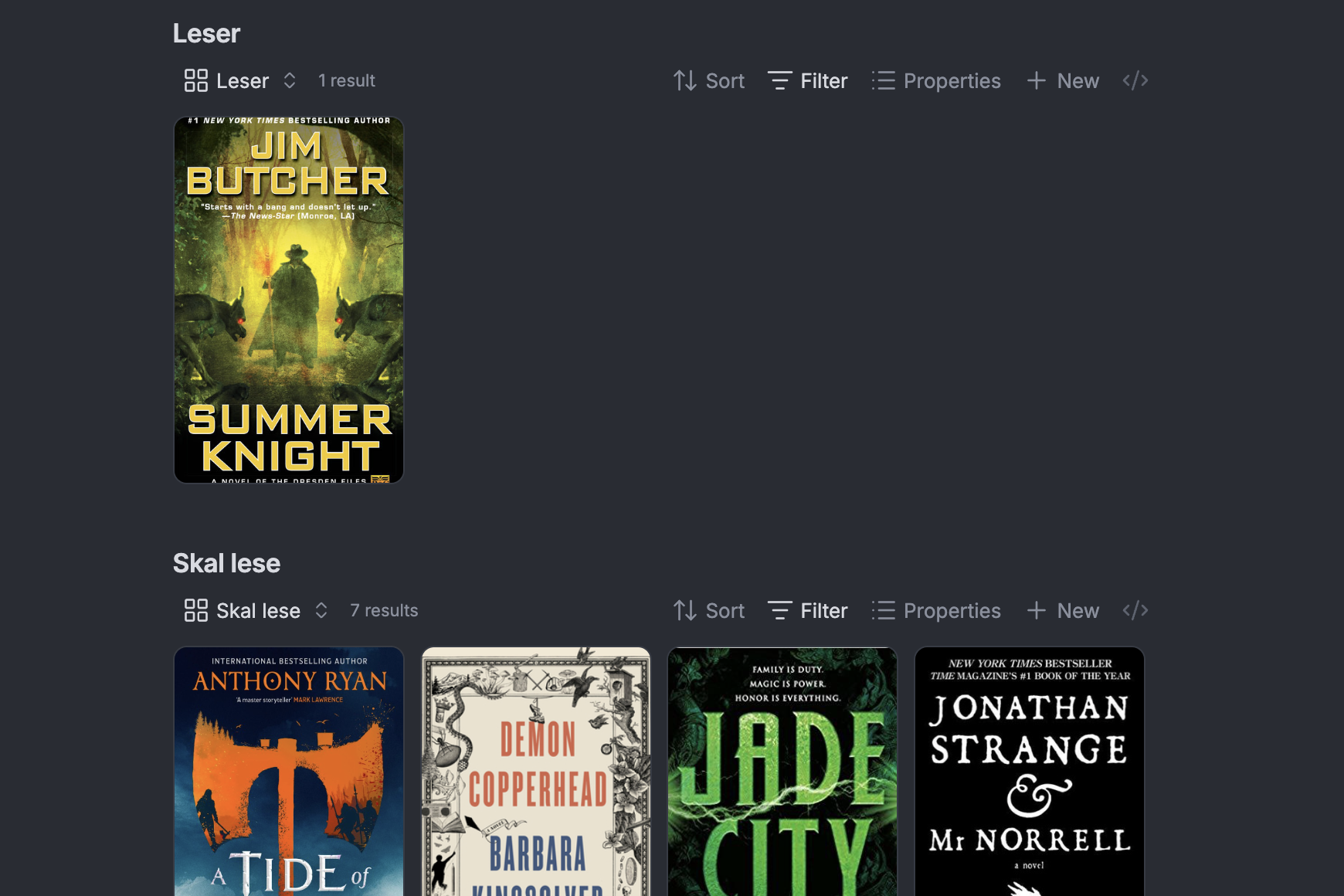
Combine this with Obsidian’s bases feature (which lets you create filtered database views), I can easily organize everything into one master note and filter by status —Want to Read, Currently Reading, Read for Books. Given time, this note can be filtered in more ways - such as the year read.
Every list is different, so taking time to finetune your setup matters before you start adding items. My recommendation is to test with 3 - 5 items to start with. If you need to change something, delete the items and add all of them back in. Then you get a feel for the flow, and how it looks in the end.
Now my watchlists are clean, organized lists that require almost no maintenance. No logins required, and no fear of a service that will go down. Just my notes, under my control and completely free from platform dependencies.